

Juno F&B Suite — Pay@Table
Close the check where the guest is sitting.
Juno Pay@Table brings payment to the table. Staff can manage the open Oracle Simphony check and take payment on a supported device — or, where enabled, guests can scan their table QR and pay from their own phone. Payments and tips are posted back to Simphony.
Juno Pay@Table
Two ways to pay at the table. One connection to Simphony.
Juno Pay@Table connects the restaurant payment journey to Oracle Simphony — whether a member of staff manages the check or, where enabled, the guest pays from their own phone.
Staff-assisted
Juno Pay@Table — Staff
One Android device. From check to payment.
Staff can find open checks by revenue centre, manage full or split payments, add tips and handle permitted refunds on a supported device. Payment activity posts back to the Simphony check.
Guest self-service · where enabled
Guest Pay@Table
Scan. Split. Tip. Pay.
Guests scan the QR code for their table, review the open check, choose what to pay, add a tip and complete payment in their phone's browser — no app download needed. The payment journey stays connected to Oracle Simphony through Juno Pay@Table.
Staff-assisted Pay@Table
Manage Oracle Simphony checks and payments from the table.
The Pay@Table device does more than accept payment: staff work with the open Simphony check, full or split payments, tips and permitted refunds in the same tableside experience.
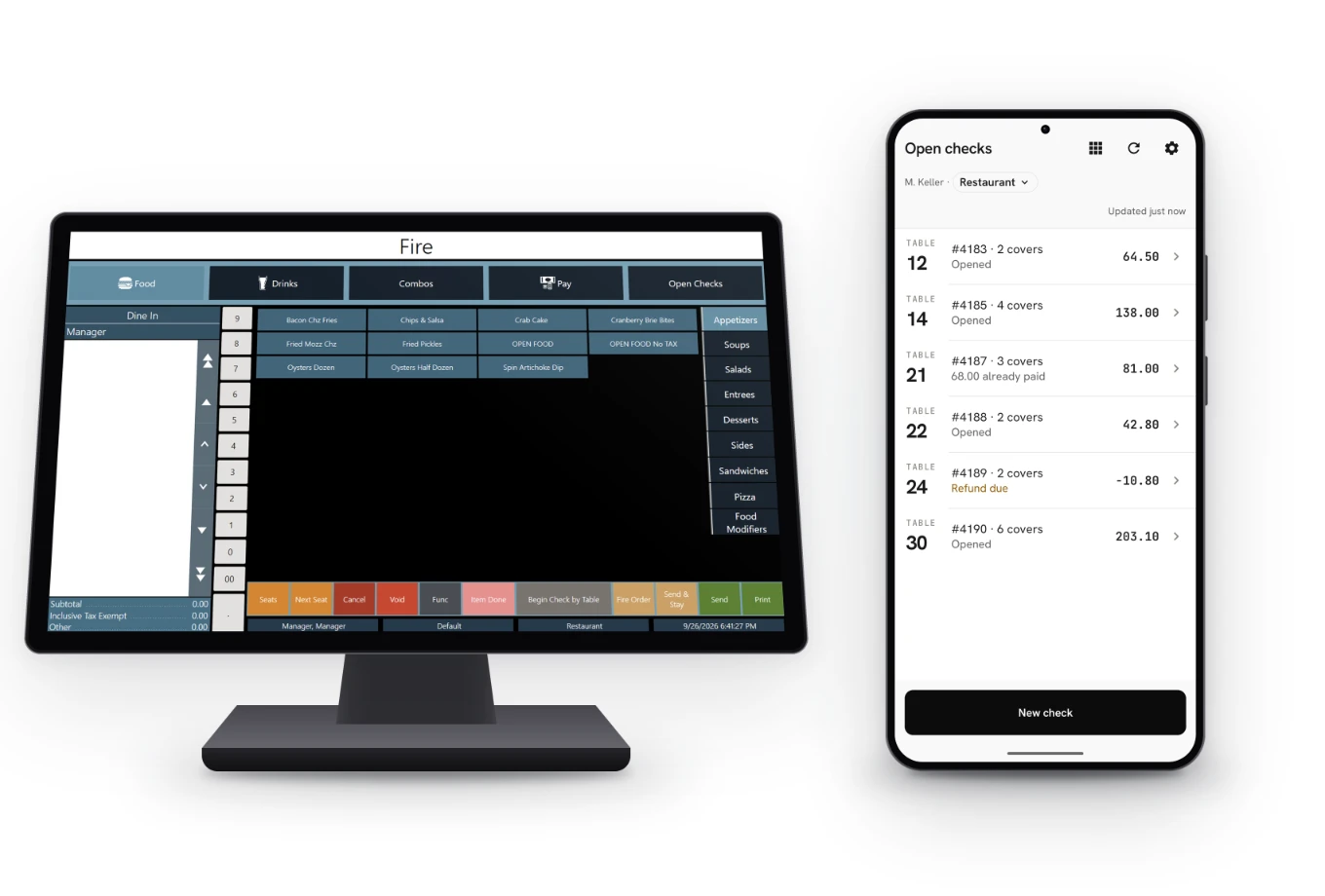
Find check
Open checks are listed per revenue centre. Find the one you need by table or check reference.
Review
Review the open check with the guest.
Split / pay
Take the full payment or split it, with each part posted to the Simphony check in real time.
Tip
The guest adds a tip on the device — a suggested percentage or a free amount — posted to the check as a service charge.
Payment
Built-in safeguards help prevent duplicate posting if connectivity is interrupted during payment.
Receipt
Offer the guest a digital receipt by scanning the receipt QR shown on the Pay@Table device, with the card-payment receipt handled through the Simphony guest check.
Guest Pay@Table
QR pay at table, when guests are ready.
Where enabled, guests can use their own phone's browser to pay — no app download required and no need to wait for a member of staff to bring the payment device. The screens below illustrate the guest journey using the Le Juno example.
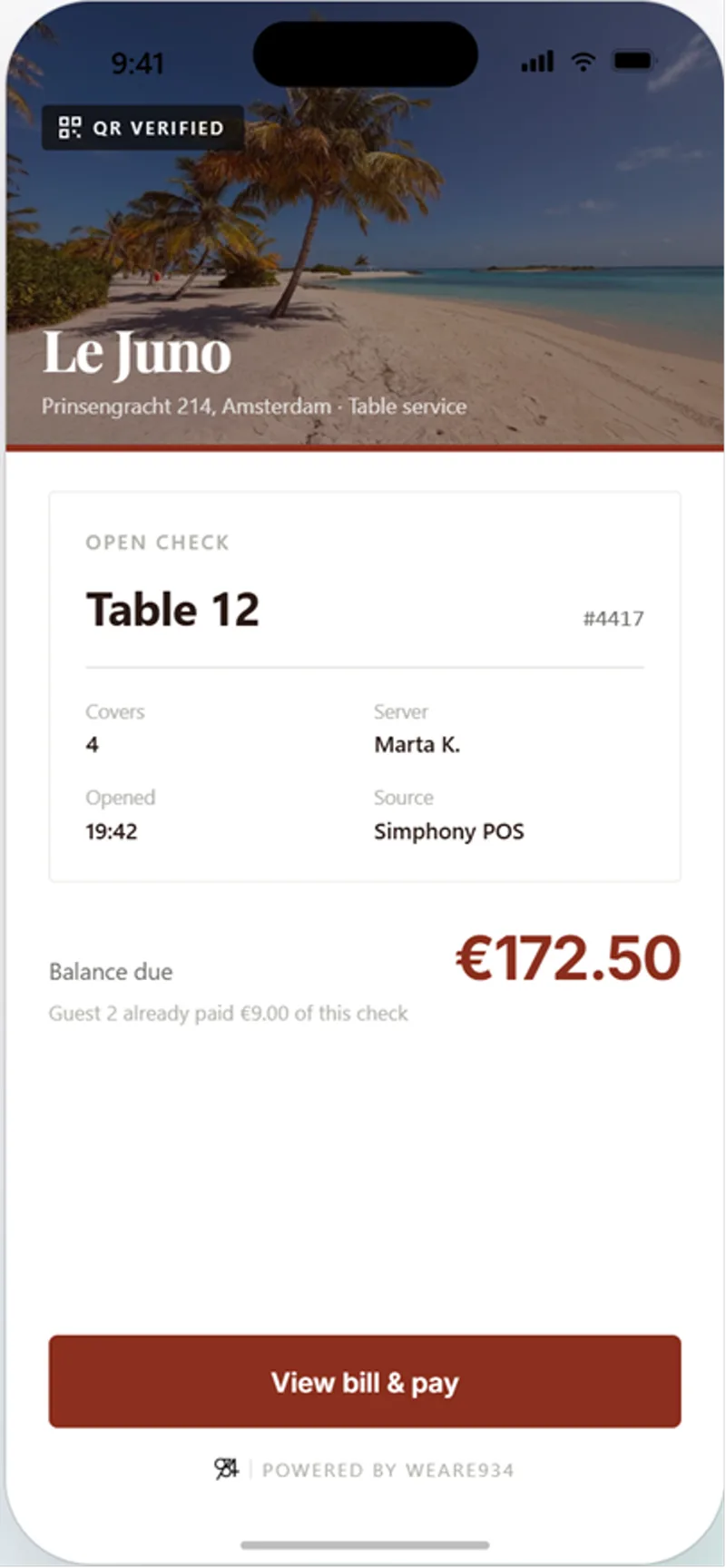
01 — Scan & open
Scan the table QR and open the check.
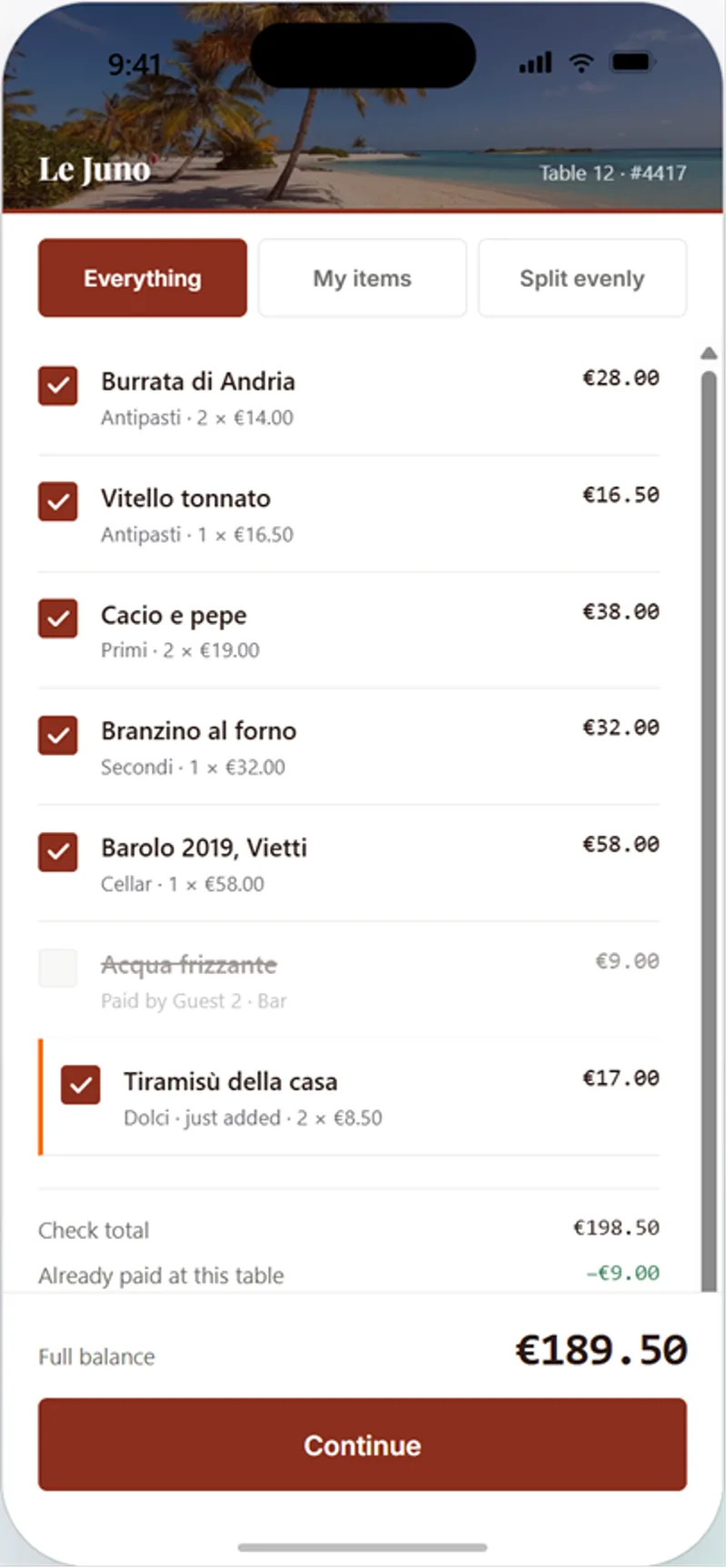
02 — Choose what to pay
Choose the bill, items or share to pay.
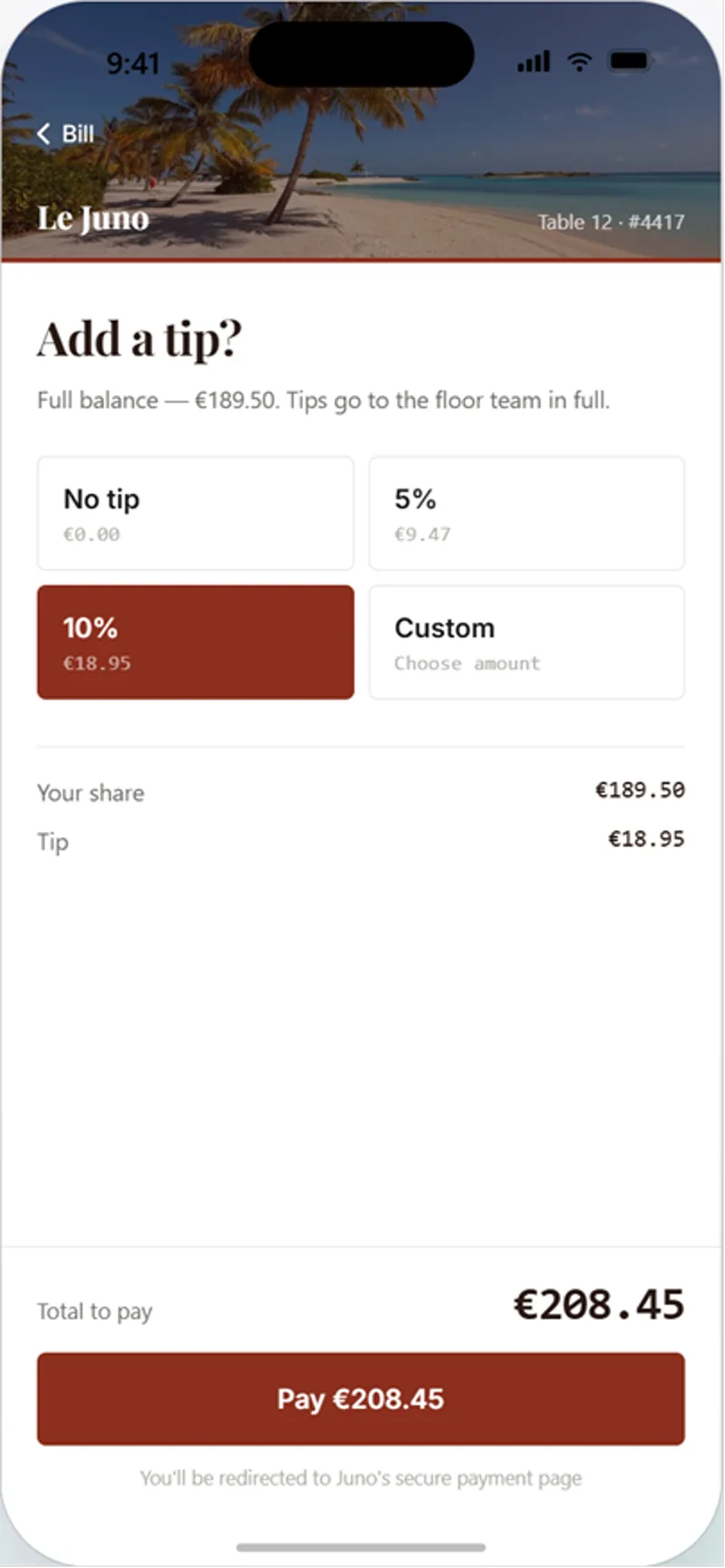
03 — Add a tip
Choose a suggested tip or enter an amount.
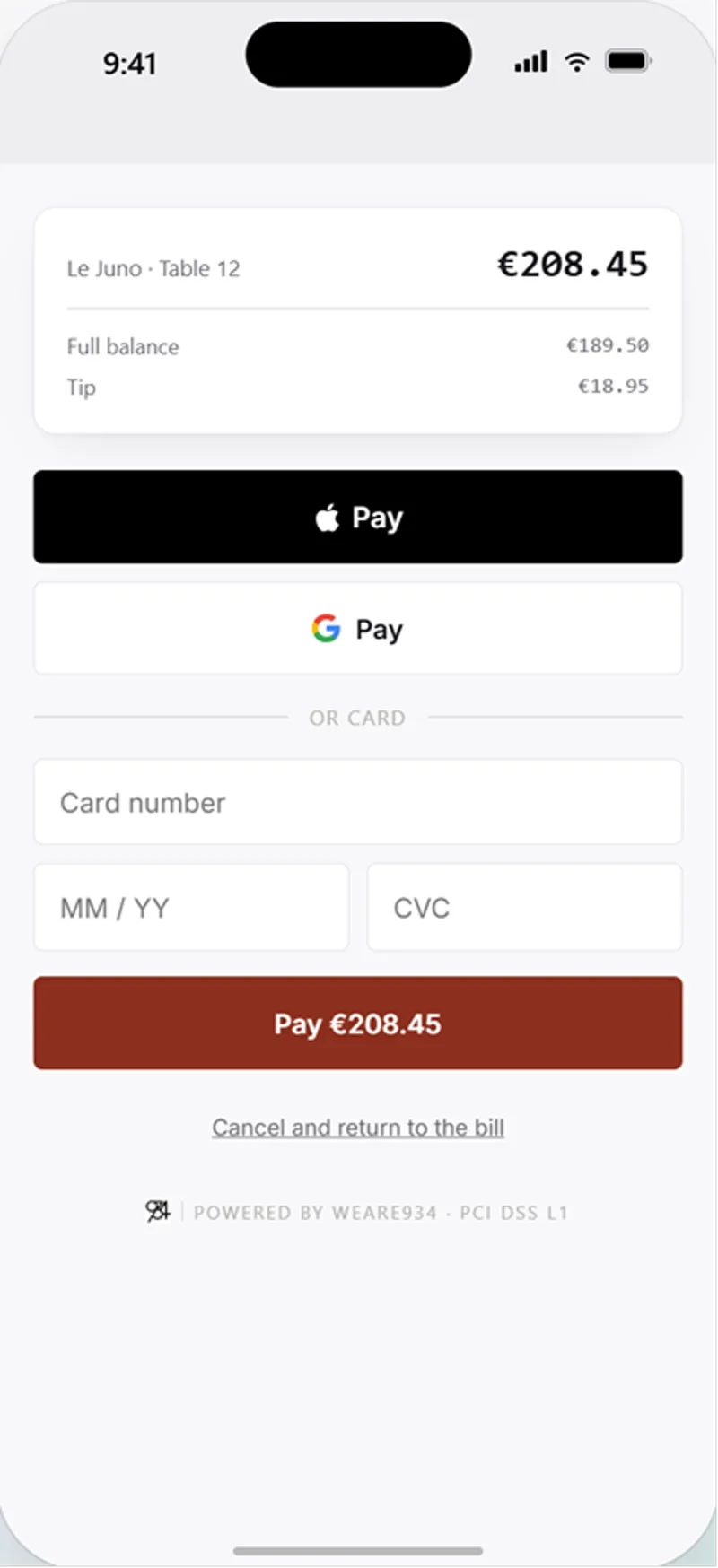
04 — Pay
Complete payment from the phone.
Each table has its own QR code, so guests can scan when they're ready to pay. Available payment methods depend on the connected payment provider and configuration.
What the operator gets
Less waiting. Fewer steps. A better finish to the meal.
- Faster service
- Take payment where the guest is sitting, reducing unnecessary movement between the table and payment point.
- Fewer manual steps
- Work from the open Simphony check rather than re-entering the bill into a separate payment flow.
- Cleaner payment records
- Payments and tips post back to the Simphony check in real time, keeping the payment and restaurant record connected.
- A better finish
- Let guests pay at the table and access a digital receipt without waiting for another trip to the payment point.
Across the estate
Built for real F&B operations.
The questions that decide whether tableside works across a restaurant estate — corrections, accountability and the devices your teams actually carry.
Refunds from the device
Handle refunds from the device as part of the Pay@Table workflow, subject to your operational permissions.
Staff identification
Identify staff against their Oracle Simphony employee number as part of the Pay@Table workflow.
Supported payment devices
Run on Juno Payment Terminals, or on a supported Android device using Tap on Mobile where the acquirer configuration allows it.
Central administration
Manage device provisioning and property configuration centrally across the estate, over Wi-Fi or mobile data.
Operator branding
The app carries your brand on screen and on the receipt.
Managed app updates
Application updates are applied automatically across the estate.
On your point of sale
Your check and payment stay connected.
Juno Pay@Table works with the open Oracle Simphony check. Open checks can be accessed from Simphony by revenue centre, and payments and tips are posted back to the check in real time.
Works with Oracle Simphony
Juno Pay@Table connects with Oracle Simphony through the Simphony Transaction Services (STS) Gen 2 cloud API. The connection is cloud-based, without additional on-property integration middleware.
Oracle integration detailFlexible payment acceptance
One tableside experience. Flexible ways to take payment.
Run Juno Pay@Table on a supported Juno payment terminal or compatible Android device, with Tap on Mobile available where supported. Devices connect to the Juno Cloud Service over Wi-Fi or mobile data.
Juno payment terminal
Dedicated supported payment device
Portable, all-in-one terminals for table service and roaming staff — the same devices used across the wider Juno estate, with printing where an outlet needs it.
See the terminalsTap on Mobile
Compatible Android device, no separate PIN pad
Accept contactless cards and wallets on the device's own NFC, with no separate PIN pad. Availability depends on the acquirer, the market and the device.
Tap on Mobile in the F&B SuiteMarket availability
Juno Pay@Table is currently available for supported deployments across the EU, UK, Switzerland and Australia & New Zealand. Availability within each market depends on the acquiring configuration for your estate, which the 934 team confirms as part of scoping.
- European Union
- United Kingdom
- Switzerland
- Australia & New Zealand
The app
Get Juno Pay@Table.
The Android app will be available to download here for supported Juno Pay@Table deployments.
In summary
Juno Pay@Table — the essentials
Quick facts
- What it is
- A tableside payment application within the Juno F&B Suite: staff access an open Oracle Simphony check, take payment at the table, and the payment posts back to the point of sale. Where the optional Guest Pay@Table mode is enabled, guests can instead scan the QR code for their table and pay from their own mobile.
- POS integration
- Oracle Simphony through the Simphony Transaction Services (STS) Gen 2 cloud API. The connection is cloud-based, without additional on-property integration middleware.
- Devices
- Supported Juno payment terminals, and compatible Android devices using Tap on Mobile where the acquirer configuration allows it.
- Availability
- European Union, United Kingdom, Switzerland and Australia & New Zealand.